
360° video vs. Real-time VR: Why interaction matters (and why it's not enough to just watch)
In a nutshell: The difference between 360° video (3DOF) and Real-time VR applications (6DOF) is based on freedom of movement and active user participation. While 360° video is a passive spherical video recording in which the viewer can only look around from a single fixed point without being able to influence anything, Real-time VR in Unreal Engine 5 creates a fully interactive 3D environment. Users can walk around freely, pick up objects, operate machines, and practice work procedures through muscle memory.
Many clients come with an inquiry: “We want VR training, film it for us on a 360° camera.” And we ask: “Do you want employees to just watch or do you want them to actually learn?” The difference between 360° video and full-fledged Real-Time Virtual Reality is enormous. Learn why interaction and freedom of movement are key to effectiveness.
Passive spectator vs. Active participant
To understand the difference, we need to explain the two basic concepts that define a virtual reality experience: 3DOF and 6DOF.
- 3DOF (360° Video). Imagine you are sitting in an office chair. You can spin around, look up and down. But you can't get up, you can't take a step forward, you can't look behind the object in front of you. This is a 360° video. You're trapped in a “bubble” filmed by a camera. You're just a passive observer.
- 6DOF (Real-time VR): freedom of movement This is the real virtual reality that we at VR3D.cz are developing in Unreal Engine 5. You have absolute freedom. You can walk around the room, squat under the table, reach out and pick up an object. The environment responds to you. You are an active participant in the action.
Technical and Educational Parameters
360° Video / Panorama (3DOF)
Real-time 3D VR in Unreal Engine 5 (6DOF)
Degrees of Freedom
3DOF – only head rotation (up/down, left/right) from a fixed point
6DOF – full head rotation + free movement of the body in space (walking, squatting, leaning around a corner)
User Role
Passive viewer (watching a pre-recorded movie)
Active Participant (makes decisions, takes action, and directly influences the action in the scene)
Handling Objects and Machines
Impossible (you can't touch or move anything)
Full physical interaction (grasping tools, pressing buttons, assembling parts)
Building Muscle Memory
Zero
High (both the brain and the hands perform the same spatial movement as they would in real life)
Error Measurement and Test Evaluation
Limited (at most, glancing at a quiz question)
Precise Analytics (measuring time, task accuracy, the sequence of steps, and critical errors)
Additional Content Edits
The need to reschedule filming with the camera crew on set
Modular (modifying the machine's 3D model or the rule logic directly within the UE5 project)
Why interaction matters: the fire extinguisher test
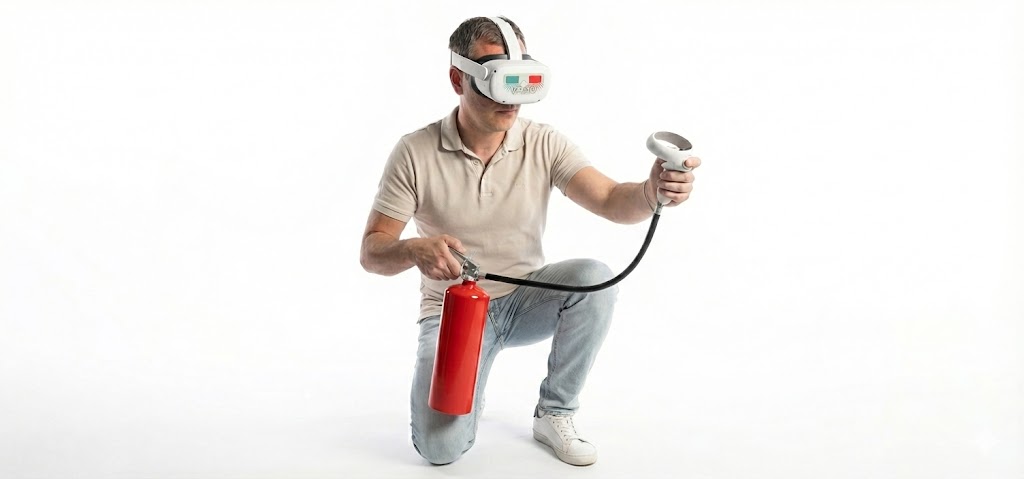
Let's imagine a model OSH training situation: Fire in the office.
- Scenario A (360° Video): You put your glasses on. You see a video where an actor walks up to a fire extinguisher, explains how to remove the safety pin, and puts out the fire. You just watch. Result: Your memory will store visual information, but in a crisis situation your hands may fail.
- Scenario B (Real-time Interactive VR): You put on your glasses and stand in the digital office. It's on fire. You have to personally walk to the device (physical movement). You must personally reach out, grab the fuse and pull it out. You have to personally squeeze the handle and point the jet at the fire. If you do it wrong, the fire will not go out. Result: You have engaged muscle memory (motor learning). Your brain has stored the experience as a “lived experience”, not just a “movie”.
Nausea in VR: Why video often loses
You may have heard of Motion Sickness in VR. Ironically, it's much more common in 360° videos than in our Real-Time applications. Why?
It's about conflict of senses. If the camera is moving in the 360° video (e.g. mounted on a moving cart or another person's helmet), your eyes see the movement, but your inner ear (balance) senses that you are standing still. The brain evaluates this discrepancy as a problem and triggers nausea.
In Real-time VR (6DOF) the camera only moves when you move. When you take a step, the scene shifts. Everything is in sync. This makes the experience comfortable even for more sensitive individuals and allows you to spend longer periods of time in it.
Flexibility: what if the color of the machine changes?
From an investment point of view, there is another major difference: Editable.
- 360° Video: It's a finished film. If you change the regulations, change the machines in production or just paint the walls a different color, the video is useless. You have to hire a crew and actors and shoot it all over again.
- Real-time applications (Unreal Engine): The environment is a digital building block. Want to change the color of the wall? It's a matter of two clicks. Want to replace an old machine with a new model? Simply replace the 3D object and the training logic remains the same. The application grows and changes with your business.
When does 360° video make sense?
We don't want to condemn 360° video. We also offer it as an additional service. It's great if:
- You need to capture the real atmosphere of a crowd or an event (concert, festival).
- Do you have a very limited budget and you need the results “within a week.”
- The goal is just a quick, passive tour without the need for interaction.
But if you want to train, teach, sell or coach, you need interactivity. You need Real-time VR.
Let your clients and employees experience the story for themselves.